GV60 (JW PE) Integrated Charging Control Unit(ICCU) - Notice of free repair
This notice is sent to you in accordance with Article 32-2 of the Motor Vehicle Management Act of Korea.
First of all, Hyundai would like to sincerely thank you for your interest and support.
We sincerely apologize for the inconvenience caused by this free repair.
We plan to voluntarily carry out free repairs as follows to prevent potential disruption to the operation of your vehicle in advance.
1. Free repair information
| A | Vehicle model | GV60 (JW PE) |
|---|---|---|
| B | Date of manufacture | 2024.08/09 ~ 2025.11/14 |
| C | Device or part | Integrated Charging Control Unit (ICCU) |
| D | Cause | Integrated Charging Control Unit (ICCU) : Voltage load of the element related to slow charging |
2. Details of free repair
| A | Free repair period | Jan. 22, 2026 ~ |
|---|---|---|
| B | Method of repair | ① Integrated Charging Control Unit (ICCU) software update ② Replace the integrated charge control unit (ICCU) when the specific warning lamp is turned on after the update (OTA update after checking whether GCS is open) ※ GCS: Genesis Connected Services |
| C | Time required | ① Integrated Charging Control Unit (ICCU) software update : about 25 min ② Replace the integrated charge control unit (ICCU) when the specific warning lamp is turned on after the update : about 2 hour 30 min |
| D | Location and department in charge | GCS-opened vehicles: Through OTA update or at Hyundai Motor High-tech center or Bluehands GCS unopened vehicles: at Hyundai Motor High-tech center or Bluehands |
| E | Cost | Free of charge |
| F | Impact on the vehicle if no action is taken | Possibility of a slow charging failure |
3. Additional information
- A. This free repair will be conducted through OTA (Over The Air) sequentially for customers who are using Genesis Connected Services (GCS).
Customers who have completed the OTA update do not need to bring their vehicles to the direct high-tech center or Bluehands.
If you have any questions, please contact the Genesis Customer Center. - B. We provide free home-to-home service when you put the vehicle into the service network. For details, please contact the Genesis Customer Center.
- You may bring the vehicle to the service network yourself. - C. During the wireless update, the lock function through the smartphone key, NFC card key, or door button may not work temporarily.
- D. Inquiries and reservations: Genesis Customer Center (080-700-6000)
4. Other information the manufacturer wants to add
※ Notice to vehicle leasing companies and car rental companies ※
Upon receipt of this customer notice, please deliver it to the actual user without delay or receive a free repair yourself.
We sincerely apologize for any inconvenience this may have caused you. Hyundai Motor Company will do its best to make more perfect products.
5. OTA (Over-the-Air) Update Procedure
The following procedure will be followed for wireless OTA updates to ensure quality and stability. Please understand that the update will be conducted in stages over a certain period of time. For more information, please refer to the owner's manual or contact Hyundai Motor Company Customer Center."
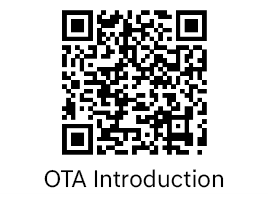
※ Notes on over-the-air (OTA) update
- A. If the battery has been removed and then attached, you can update the vehicle after turning off the ignition, disconnecting the power from the additionally installed dash cam, etc., and parking for more than 4 hours.
- B. If any product is connected to the diagnostic communication terminal under the driver's seat, the update function will not work due to interference in the vehicle internal communication.
Wireless downloading will begin when you start the engine after disconnecting the device from the diagnostic communication terminal under the driver's seat. If you turn off the engine after driving the car for more than 30 minutes, the update is performed.
(Do not connect any device to the diagnostic communication terminal under the driver's seat during the wireless update.)