-
Models
-
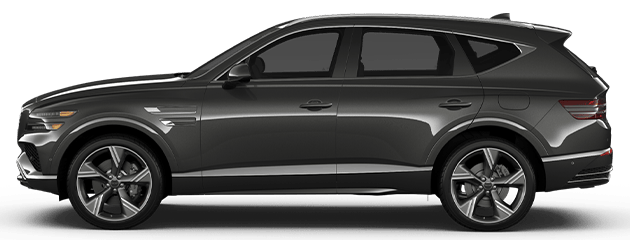
GV80 Black

-
GV80 Coupe

-
GV80 Coupe Black

-
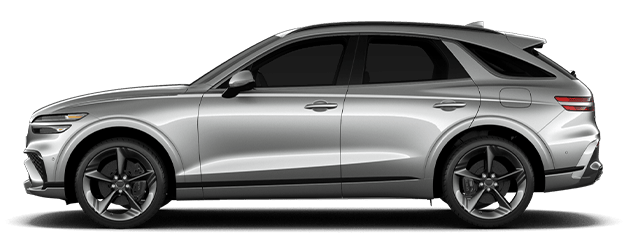
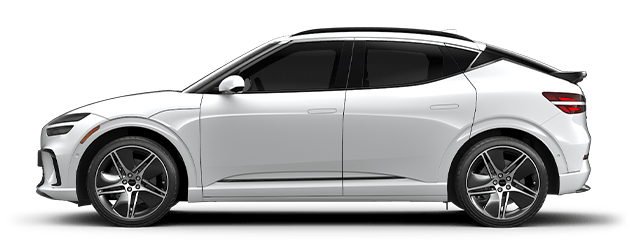
ELECTRIFIEDGV70


-
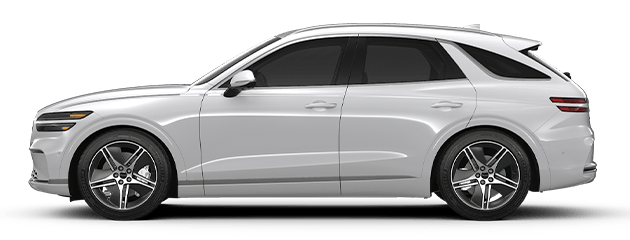
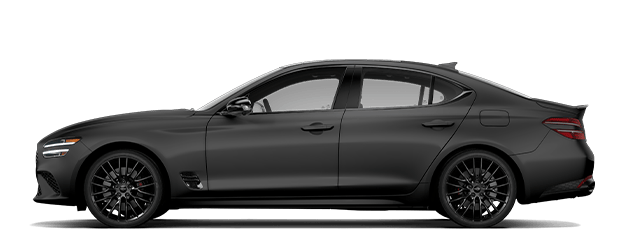
G70 Graphite

-
G80 Black

-
G90 Black

-
GV80 Black
-
GV80 Coupe
-
GV80 Coupe Black
-
ELECTRIFIEDGV70
-
G70 Graphite
-
G80 Black
-
G90 Black
-
ELECTRIFIEDGV70
-
G80 Black
-
G90 Black
-
GV80 Black
-
GV80 Coupe Black
-
Shopping
Shopping
Everything you need to get your hands-on Genesis experience.
Enjoy 5 years of complimentary scheduled maintenance, at home valet, and courtesy vehicle service
-
Genesis
Genesis
We strive to create the finest automobiles and related products and services for connoisseurs around the world.
Discover how the Genesis Experience resonates with those who’ve lived it
-
Owners
Owners
Everything you need to get your hands on as a Genesis owner.
Download Genesis related materials.
- Offers





























FAQFAQ
We have gathered frequently asked questions and their answers in one place.We have gathered frequently asked questions and their answers in one place.
FREQUENTLY ASKED QUESTIONS


[TECHNOLOGY/DIGITAL KEY]
What is the maximum number of shared Digital Keys for a Genesis vehicle?
Genesis drivers with an iPhone can use their iPhone and paired Apple Watch to access Digital Key, and can share up to 3 keys with other iPhones and paired Apple Watches. Genesis drivers with a Samsung can use their Samsung to access Digital Key, and share up to 3 keys with other Android devices.
[TECHNOLOGY/DIGITAL KEY]
Does Genesis Digital Key work remotely?
No, Genesis Digital Key cannot be used remotely. Use the Genesis Intelligent Assistant app to remotely lock or unlock your Genesis.
[TECHNOLOGY/DIGITAL KEY]
How do I share a Genesis Digital Key?
Drivers can share a Genesis Digital Key with a contact in their phone using the Apple Wallet App or the Samsung Pass app.
[TECHNOLOGY/DIGITAL KEY]
Is Genesis Connected Services required to use Genesis Digital Key?
Yes, Genesis Intelligent Assistant App is required to use Genesis Digital Key.††
[TECHNOLOGY/DIGITAL KEY]
What is Genesis Digital Key express mode, and how can I enable it?
Express mode allows you to unlock or lock your Genesis using Digital Key without user authentication. You can enable express mode in the Apple Wallet or Samsung Pass app.
[TECHNOLOGY/DIGITAL KEY]
Does Genesis have a Digital Key?
Select Genesis models support Genesis Digital Key functionality, which offers drivers a convenient way to access their vehicle from their mobile device.
[TECHNOLOGY/DIGITAL KEY]
How to activate Genesis Digital Key?
To set up your Genesis Digital Key, turn on your vehicle, ensure at least one key fob is inside the vehicle, and open the Genesis Intelligent Assistant app. Then, select your vehicle from the app interface, click on Digital Key, and follow the on-screen instructions to set up Genesis Digital Key. For more assistance, please consult our Digital Key user manual or our Digital Key setup video guide.
[TECHNOLOGY/DIGITAL KEY]
Does Genesis Digital Key require a subscription?
Genesis Digital Key requires active Genesis Connected Services; Complimentary access to Genesis Connected Services for as long as you own your vehicle.††
[TECHNOLOGY/GENESIS CONNECTED SERVICES]
What does Genesis Connected Services include?
Genesis Connected Services includes an extensive range of remote and in-vehicle connectivity features. Notable highlights include remotely locking/unlocking, heating/cooling, or defrosting your vehicle, as well as the ability for your vehicle to automatically contact emergency services if the driver is unresponsive following a detected collision. Consult our Genesis Connected Services brochure for a complete list of features and availability by model.††
[TECHNOLOGY/GENESIS CONNECTED SERVICES]
How do I activate Genesis Connected Services?
Genesis Connected Services is typically activated by your Genesis distributor upon delivery. However, Genesis drivers may activate Genesis Connected Services through our web portal or via the Genesis Intelligent Assistant App, which is available on the Google Play and the App Store.††
[TECHNOLOGY/GENESIS CONNECTED SERVICES]
Is Genesis Connected Services complimentary for the original owner?
Genesis drivers receive complimentary access to Genesis Connected Services for as long as they own their vehicle††.
[TECHNOLOGY/GENESIS CONNECTED SERVICES]
How long does it take to activate Genesis Connected Services?
It typically takes about 5 minutes to activate Genesis Connected Services, with service available in your vehicle within 24-48 hours of activation.††
[TECHNOLOGY/GENESIS CONNECTED SERVICES]
What is Genesis Connected Services' phone number?
Drivers can contact the Genesis Connected Services team at 1-844-405-2525; service is available Monday to Friday from 9:00 a.m. to 7:00 p.m, and Saturday from 9:00 a.m. to 5:30 p.m. ET. ††
Ask a Question
Thank You!
We have received your question. A Genesis Experience Manager will reach out to you soon.